

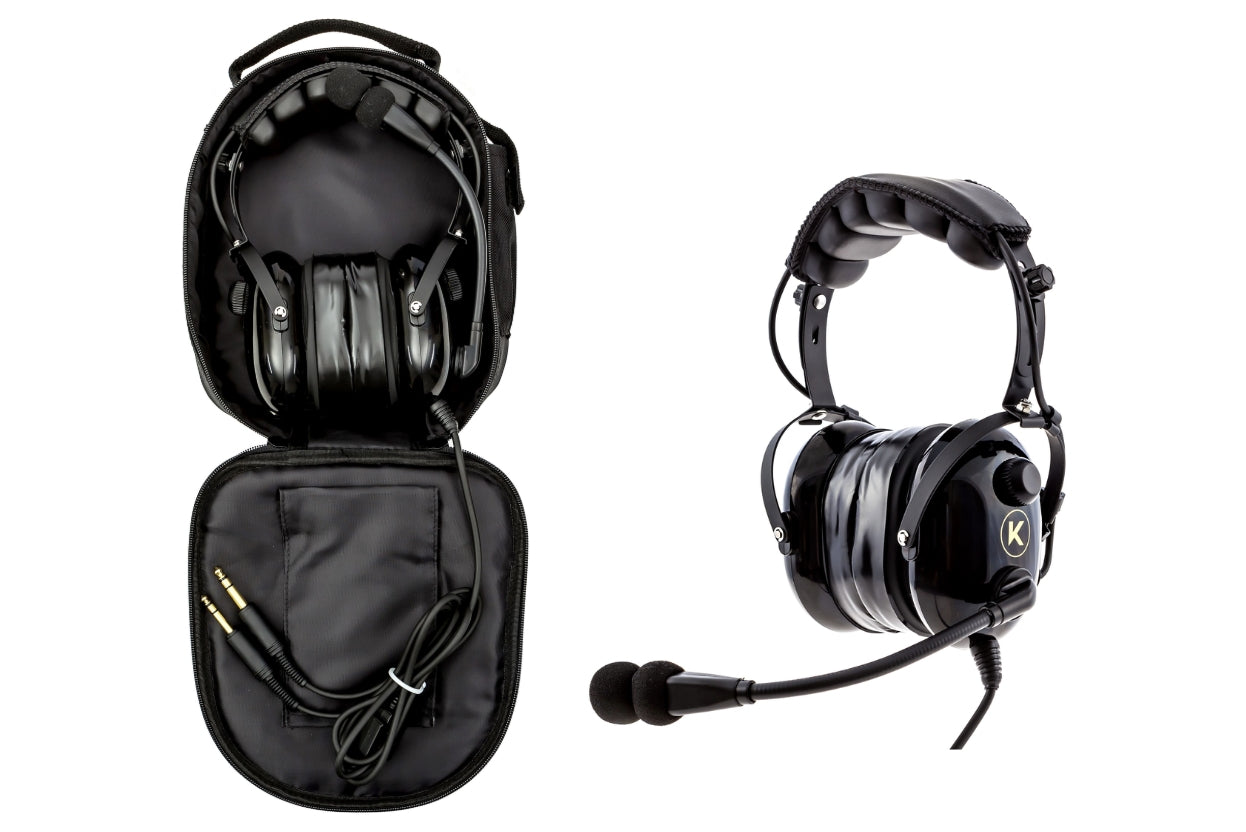
Kore Aviation - If you invest in a quality aviation headset, you want it to last many years with consistent performance. That is why knowing how to maintain your aviation headset is critical. The headset helps you communicate clearly, helps protect hearing, and any failure mid‑flight can be a safety concern.
In this article you will find practical tips on cleaning, storage, inspection, replacement parts (like cushions or ear gels), battery or power care (if applicable).
Tip: A well maintained headset can last a decade or more.
Why Maintenance Matters (Durability, Safety, Performance)
Maintaining your headset doesn’t just preserve it, it ensures clarity, reliability, and safety. Neglecting maintenance can lead to:
- Loose or intermittent connections
- Static, distortion, or one‑ear audio failure
- Degraded comfort and seal (ear cushions fail)
- Damage to cables or internal wiring
So keeping it in good shape is not optional, it is part of flight prep.
Also read: Why Do Pilots Wear Headset?
1. Cleaning & Hygiene
Daily Wipe‑Down
After each flight:
- Use a soft lint‑free cloth lightly damp with water + mild soap to wipe down headband, plastic surfaces, and plugs (avoid soaking).
- Gently brush the microphone windscreen and remove debris (dust, lint).
- If the windscreen is removable, wash it, dry thoroughly, and reattach.
Avoid using alcohol or harsh cleaners on plastic, foam, or wiring.
Periodic Deep Cleaning
Every few months:
- Remove ear cushions/foams and clean separately. Use gentle soap and water or damp cloth, then air dry completely before reattachment.
- Blow out dust inside cavities using compressed air (light bursts).
- Clean plug contacts with electronic contact cleaner to reduce oxidation.
- Inspect wiring insulation for cracks.
Make sure all parts are completely dry before using headset again.
Read More: How to Choose and Test an Aviation Headset Before Your First Flight
2. Storage & Environmental Protection
| Factor | Best Practice | Why It Matters |
|---|---|---|
| Temperature | Store in cool, dry place, avoid direct sun | Heat degrades plastics, adhesives, electronics |
| Humidity | Keep dry, avoid moisture exposure | Moisture can corrode contacts or lead to mold |
| Packing | Use padded headset case, avoid tight bends in cable | Protects ear cups, wires, connectors |
| Between flights | Don’t leave headset in direct sunlight in cockpit | Sun exposure ages materials, warps components |
If you’re stopping on a short break, place the headset out of direct light; for longer durations, put it in its case.
3. Wiring, Cables & Plugs Inspection
- Check cables regularly for frays, kinks, or broken insulation.
- Unplug carefully by holding the molded plug, not pulling on the cable itself.
- Avoid twisting or wrapping the cable tightly; store it in loose coils.
Inspect plug contacts for corrosion or oxidation; clean with contact cleaner gently.
If any damage is found, repair or replace the cable before serious failures occur.
Discover More: Why Do Aviation Headsets Have Two Plugs?
4. Wear Items & Replacement Schedule
Certain parts wear out over time. Replacing them maintains comfort and performance.
| Component | Suggested Replacement Interval / Indicator |
|---|---|
| Ear cushions / seals / ear gels | Every 6–18 months or when cracked, flaking, or losing seal |
| Microphone windscreen (foam sock) | 500 flight hours or if torn/dirty |
| Head pad / top cushion | When foam compresses or cover wears |
| Cable (outer insulation) | 3+ years or when compromised |
Need replacements? Kore Aviation sells separate cushions and ear gels so you can refresh your headset affordably without buying a new one.
Explore Kore Aviation premium and affordable headsets, designed for durability to stay sharp in the cockpit.

5. Logging & Maintenance Records
Keeping a log of headset maintenance helps track wear and spot trends:
- Record date, actions taken (cleaning, parts replaced), hours flown
- Note any symptoms (static, muffled sound) and corrective actions
- Use a small notebook or digital log in your flight log app
Here’s a simple table format you can use:
| Date | Flight Hours | Maintenance Action | Parts Replaced | Notes / Observations |
|---|---|---|---|---|
| 10/01/2025 | 15 | Cleaned ear cushions and mic windscreen | None | Light dust, mic sounded clear |
| 10/15/2025 | 28 | Replaced ear seals | Ear cushions | Improved noise seal, better comfort |
| 11/01/2025 | 40 | Cleaned plugs and inspected cable | None | No signs of wear or damage |
Use this format in a logbook, notebook, or digital sheet. Over years, you’ll see patterns and anticipate when parts need replacing.
Example Maintenance Schedule (Suggested)
Here’s a sample schedule to keep your headset in top shape:
- After every flight — wipe surfaces, inspect for obvious damage
- Weekly / Biweekly — deep clean cushions, mic, connectors
- Monthly — inspect cables, connectors, test audio & mic function
- Every 6–12 months — replace ear seals / cushions, test electronics
- Annual or as needed — professional servicing or module inspection
Following a cadence like this avoids surprises.
Functional Checks Before Every Flight
Before you fly:
- Audio check: plug in and verify both ears hear ATC/comm.
- Mic check / transmit test with ground or instructor.
- Check volume controls on headset or inline box.
- Inspect connectors to ensure firm seating in jacks.
- Check mechanical parts: hinges, adjusters, headband springs.
Doing these checks early ensures you catch problems before airborne.
Read More: Buyer and Preflight Guide on How to Test a Pilot Headset
When to Seek Professional Repair
Even with regular care, aviation headsets may eventually need repair. If you notice issues such as:
- Ongoing static that cleaning does not fix
- A broken cable or damaged plug
- One side losing audio or mic cutting in and out
- Internal frame damage, loose hinges, or misalignment
It’s best not to attempt repairs yourself, especially if your headset includes any sensitive wiring or components. Instead, reach out to the manufacturer or a certified headset repair specialist.
Kore Aviation offers a generous 5-year warranty on their headsets. If your KA‑1 headset experiences a defect or failure within this period, they will repair or replace it under their warranty terms.

This gives pilots extra peace of mind, especially student pilots knowing their gear is backed by long-term support. You can review warranty details or start a claim through the Kore Aviation website or by contacting their support team directly.
Summary Checklist: How to Maintain Your Aviation Headset
Here is a quick checklist:
- Clean daily & deep occasionally
- Store in padded case, away from heat/humidity
- Inspect cables and plugs frequently
- Replace wear items on schedule
- Do functional checks preflight
- Maintain a maintenance log
- Use professional repair for serious issues
Follow these steps and your headset will give you years of reliable service.
FAQ: How to Maintain Your Aviation Headset
-
Can I wash headset cushions in water?
Only if they are removable. Use mild soap and air dry thoroughly, never submerge electronics. -
How often should I replace ear seals?
If you fly daily, replace every 6 months. Less frequent flying may extend it to 12–18 months. -
Do I need to use contact cleaner on plugs?
Yes, occasionally. A small amount of electronic contact cleaner helps reduce oxidation and maintain clear connection. -
Will leaving batteries in damage the headset?
Yes, battery leakage can corrode internal components. Remove batteries if storing long term. -
Can maintenance improve audio clarity?
Absolutely. A clean surface and fresh seals restore acoustic sealing, which improves noise isolation and clarity. -
Does Kore Aviation provide spare parts?
Yes, Kore Aviation sells separate cushions and ear seals so you can replace the worn parts without buying a whole new headset. -
How often should I clean my headset?
Wipe down external surfaces after each flight. Do a deeper cleaning of cushions, mic, and connectors every few weeks or monthly depending on usage. -
Can I use alcohol or household disinfectant wipes?
No. Alcohol and harsh chemicals can degrade foam, plastics, and coatings. Use mild soap or electronics‑safe cleaners. -
What’s the longest a headset can last?
With good maintenance, many pilots get 5 to 10 years of reliable service.
Conclusion
Learning how to maintain your aviation headset is a small effort that yields big returns: better performance, safety, and longevity. For PNR headsets, maintenance is simpler: no batteries, no modules to fail. Just regular cleaning, inspection, and replacement of cushions or cables when needed.
If you fly regularly or train often, consider investing in replacement cushions or ear gels for your Kore Aviation headset.
Fly safe, and treat your headset like a cockpit instrument, it deserves care.


