

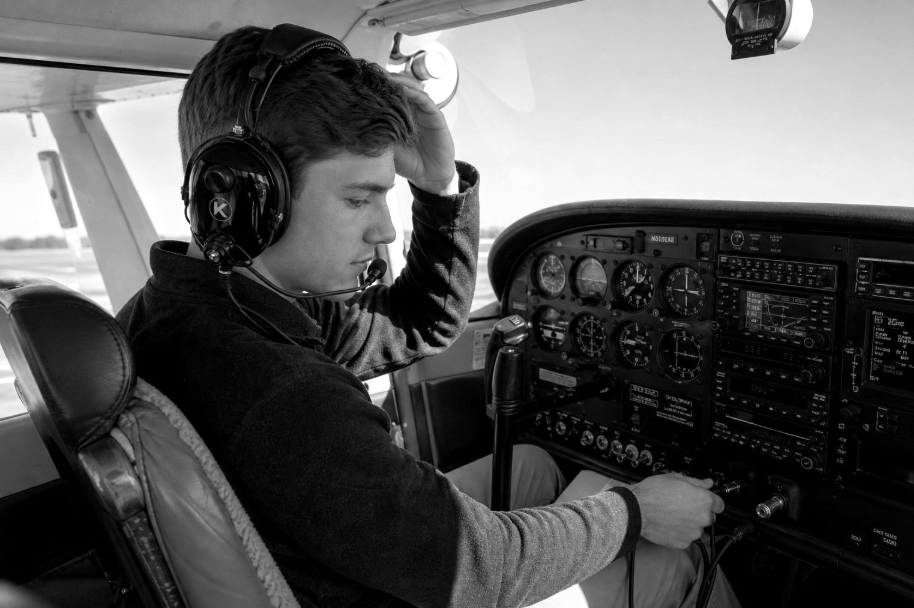
KORE Aviation - A used aviation headset looks like a smart deal. Someone on eBay is selling a mid-range ANR model for $300 less than retail, the photos look decent, and the listing says "works great." You add it to your cart, ready to save a few hundred dollars on flight training gear.
Then the headset shows up. The ear seals are cracked and flaking. One ear cup buzzes at higher volumes. The mic boom droops and won't stay in position. Suddenly that bargain needs $100 in replacement parts and maybe a $175 factory repair. The savings just evaporated.
This happens more often than most student pilots expect. Buying a used aviation headset can work out, but only if you know exactly what to look for, what to test, and how to calculate the true cost. This guide covers every step of the process so you can make an informed decision and protect your ears (and your wallet) in the cockpit.
Why Pilots Shop for a Used Aviation Headset
Flight training is expensive. Between instructor fees, aircraft rental, exam costs, and fuel surcharges, the average private pilot certificate runs between $15,000 and $23,000 in 2026. Buying gear on top of that feels like another punch to the budget.
A used aviation headset seems like an obvious place to cut costs. Premium ANR models retail for $700 to $1,300 new, and the used market sometimes offers them for 20% to 40% less. For a student pilot watching every dollar, that discount is tempting.
There are a few common situations where pilots end up shopping used:
- Budget pressure during training. A student pilot already spending $200+ per flight hour wants to keep gear costs minimal. A used PNR headset for $60 to $80 sounds appealing compared to $125 to $225 for a new one.
- Upgrading from a rental. Pilots who started with flight school loaner headsets want their own set. The used market looks like a shortcut to owning something better.
- Chasing premium features on a budget. A student wants active noise reduction but can't justify $800+. A used ANR headset for $400 to $500 seems like the sweet spot.
All three scenarios make logical sense on the surface. The problem is that headsets are wear items. Unlike a used iPad or camera lens, a headset takes physical abuse every flight: clamping force on the headband, sweat soaking into ear seals, cable stress from plugging and unplugging, and vibration from the engine. That wear isn't always visible in listing photos.
Also read: How Much Should You Spend on Your First Aviation Headset?
The Hidden Costs of Buying a Used Aviation Headset
The sticker price on a used listing rarely tells the full story. Here's what often gets added to the bill after purchase:
Replacement Parts You Will Almost Certainly Need
| Component | Typical Replacement Cost | How Often It Wears Out |
|---|---|---|
| Foam ear seals (pair) | $14 to $20 | Every 6 to 12 months of regular flying |
| Gel ear seals (pair) | $35 to $50 | Every 12 to 18 months |
| Headpad cushion | $10 to $25 | Every 1 to 2 years |
| Microphone windscreen | $5 to $20 | Every 500 flight hours or when torn |
| Full refresh kit (seals + pad + mic muff) | $40 to $50 | As needed |
| Communication cord replacement | $30 to $80 | Every 3+ years or when damaged |
Prices based on manufacturer parts from major brands (2025/2026 retail pricing).
At a minimum, plan on replacing the ear seals and headpad on any used aviation headset. Nobody wants to wear someone else's sweat-soaked foam for 60+ hours of flight training. That's $30 to $75 right there.
Factory Repair If Something Is Actually Broken
If the headset has a deeper issue (intermittent audio, dead ANR, scratchy volume controls), you're looking at factory repair costs:
- Major brand ANR flat rate repair: $175 to $225 for out-of-warranty headsets, including parts, labor, and replacement of soft goods1
- PNR headset overhaul: $100 to $150 depending on the brand and extent of damage
- Shipping both ways: $15 to $30
1 Based on published repair pricing from major U.S. headset manufacturers.
Add those repair costs to the purchase price of a used headset, and the "deal" often costs more than buying new in the first place.
Also read: How to Maintain Your Aviation Headset for Long Life and Clear Communication
The 7-Point Used Aviation Headset Inspection Checklist
If you've decided to buy used, inspect every headset with this checklist before handing over your money. Don't skip any step.

1. Ear Seals and Headpad Condition
Look for cracking, flaking, hardening, or compression in the ear cushions. Foam ear seals deteriorate fastest, often within 6 to 12 months of regular use. If the foam is flat or the vinyl is peeling, noise isolation is already compromised. Gel ear seals last longer but can develop leaks or lose their shape over time. Check the headpad for worn-through fabric or collapsed foam.
2. Microphone Boom and Windscreen
The mic boom takes more stress than any other headset component. Flex booms should hold their position when you bend them. Wire-frame booms should stay locked at any angle without drooping. Wiggle the boom where it connects to the ear cup. If it's loose, wobbly, or makes crackling sounds, the internal wiring may be damaged. Check the foam windscreen (mic muff) for tears or missing pieces.
3. Audio Test: Both Ears
Plug the headset into an intercom or aircraft panel and do a sidetone test. Speak into the mic and listen for clear audio in both ears. Cycle the volume controls through their full range. Listen for static, crackling, cutting out, or volume imbalance between ears. If only one ear produces sound, check the mono/stereo switch first, then suspect a wiring issue.
4. Cable and Plug Inspection
Run your fingers along the entire cable length. Feel for kinks, bulges, stiff spots, or exposed wiring. Check the cable where it exits the ear cups and at the plug ends, as those are the most common failure points. Examine the dual GA plugs (PJ-055 and PJ-068) for corrosion, bent pins, or loose connections. Corroded plugs cause intermittent audio and are a sign of poor storage or moisture exposure.
5. ANR Function (If Applicable)
For ANR headsets, install fresh batteries and power on the system. You should hear a subtle hiss in both ears, and ambient room noise should drop noticeably. If one side doesn't cancel, or if you hear oscillation, buzzing, or "motorboating," the ANR electronics may be failing. Test in a noisy environment if possible, since a quiet room won't reveal marginal ANR performance.
6. Physical Frame and Hinges
Check the headband for cracks in the plastic or metal fatigue in the spring. Flex the headband gently and listen for creaking. Test all adjustment points and swivel hinges. A broken headband spring means the headset won't maintain consistent clamping pressure, which directly affects noise isolation and comfort over long flights.
7. Serial Number and Warranty Status
Ask the seller for the serial number and call the manufacturer to verify warranty status. Some brands offer transferable warranties that cover any owner for up to 7 years. Others only cover the original purchaser. Also ask the manufacturer if the headset has been reported as stolen. If there's no serial number visible, walk away.
Also read: How to Choose and Test an Aviation Headset Before Your First Flight
Where Pilots Find a Used Aviation Headset
The used headset market is fragmented across multiple platforms, and each one carries different risks:
| Source | Typical Savings | Buyer Protection | Risk Level |
|---|---|---|---|
| eBay | 15% to 35% off retail | Strong (Money Back Guarantee) | Medium: Can't test before buying |
| Aviation forums (classified sections) | 20% to 40% off retail | None | High: Relies on seller reputation |
| Facebook Marketplace / Groups | 20% to 40% off retail | Limited | High: Fakes and misrepresented items common |
| FBO bulletin boards | Varies widely | None (cash deals) | Medium: Can inspect in person |
| Flight school classifieds | 10% to 30% off retail | None | Low to Medium: Known community |
eBay offers the most protection, but you can't physically test a headset before committing. Forum and Facebook deals can be cheaper, but you're trusting a stranger with no safety net. FBO bulletin boards let you inspect in person, which is ideal, but the selection is limited.
One warning that experienced pilots repeat on forums: be cautious of brand-new seller accounts listing premium ANR headsets at steep discounts. Counterfeit headsets exist in the aviation market, and stolen headsets occasionally surface on resale platforms. Always verify the serial number with the manufacturer before finalizing any purchase.
When Buying New Costs Less Than Buying a Used Aviation Headset
Here's the math that surprises most student pilots:
A used entry-level PNR headset on eBay typically sells for $60 to $100. After you replace the ear seals ($14 to $20), headpad ($10 to $15), and mic windscreen ($5 to $10), you've spent $89 to $145. You still have no warranty, no guarantee on the speakers or wiring, and no idea how many hours the headset has already logged.
Compare that to a brand new KORE Aviation P1 at $124.95 with a 1-year warranty. Or a KORE Aviation KA-1 at $224.95 with a 5-year warranty, gel ear seals included, and 24 dB of passive noise reduction. Both come factory fresh with full support from a company trusted by over 30,000 pilots and 50+ flight school partners.
Used vs. New: True Cost Comparison
| Used Entry PNR | Used Mid-Range ANR | KORE Aviation P1 (New) | KORE Aviation KA-1 (New) | |
|---|---|---|---|---|
| Purchase price | $60 to $100 | $300 to $500 | $124.95 | $224.95 |
| Ear seal replacement | $14 to $20 | $35 to $50 | $0 (included) | $0 (gel included) |
| Headpad + mic muff | $15 to $25 | $15 to $25 | $0 (new) | $0 (new) |
| Potential repair cost | $0 to $150 | $0 to $225 | $0 (warranty) | $0 (warranty) |
| Total possible cost | $89 to $295 | $350 to $800 | $124.95 | $224.95 |
| Warranty | None or expired | Maybe partial | 1 year | 5 years |
| Noise reduction | Unknown (degraded?) | Unknown (degraded?) | 24 dB PNR | 24 dB PNR |
The used mid-range ANR scenario is especially risky. If the ANR electronics fail after purchase, you're looking at a $175 to $225 factory repair on top of the $300 to $500 purchase price. At that point, you've spent $475 to $725 on a headset with no remaining warranty, which is close to the price of a brand new mid-tier ANR model.
For most student pilots, a new PNR headset with a solid warranty is a smarter investment than rolling the dice on used gear. You get known performance, full manufacturer support, and the peace of mind that your audio is reliable during checkride communications.
Also read: Do You Need an ANR Aviation Headset? Why Many Flight Schools Choose PNR Instead
5 Red Flags When Shopping for a Used Aviation Headset
Walk away from any used aviation headset listing that shows these warning signs:
- No serial number provided. Without a serial number, you can't verify warranty status, check if the headset was reported stolen, or confirm it's even an authentic product. Legitimate sellers have nothing to hide.
- Seller says "untested" or "as-is." This is code for "I know something is wrong but don't want to disclose it." A working headset takes 30 seconds to verify. If the seller hasn't bothered, assume the worst.
- Photos only show the outside. Ask for close-up photos of the ear seals (inside the cups), the cable where it meets the ear cups, and the plug ends. If the seller won't provide them, move on.
- Price is too good to be true. A premium ANR headset listed at 50%+ off retail with "barely used, perfect condition" language is either stolen, counterfeit, or misrepresented. Check the serial number before committing.
- No return policy. eBay offers buyer protection, but private sales on forums and Facebook often don't. If you can't return a defective headset, you're absorbing all the risk.
Also read: How to Test a Pilot Headset: Buyer and Preflight Guide
Post-Purchase Checklist for a Used Aviation Headset
Bought a used aviation headset anyway? Run through this list the day it arrives:
- Replace the ear seals and headpad immediately. Even if they look okay, you don't know what bacteria, sweat, or skin oils are embedded in the foam. Fresh seals also restore noise isolation that worn cushions have lost.
- Clean the plugs with electronic contact cleaner. Oxidation on the GA plugs causes intermittent connections. A quick clean takes 60 seconds and can solve crackling audio.
- Do a full sidetone test. Plug into an intercom, speak, and verify clear audio in both ears across the full volume range.
- Test ANR in a noisy environment. Run a vacuum cleaner or stand near a running car to simulate cockpit noise levels. Both ears should cancel equally.
- Log the serial number. Record it with the manufacturer and in your own flight records. This establishes your ownership and helps if the headset is ever lost or stolen.
Also read: PNR vs ANR Headsets: Which Is Best for Student Pilots?
Frequently Asked Questions
1. Is it safe to buy a used aviation headset?
It can be, but only if you do a thorough inspection before buying. Test the microphone, audio in both ears, volume controls, and ANR function. Check the ear seals, cables, plugs, and headband for wear. Verify the serial number with the manufacturer to confirm warranty status. Many used headsets need $30 to $75 in replacement parts on top of the purchase price.
2. How much should I pay for a used aviation headset?
Used PNR headsets typically sell for $60 to $150 depending on condition and brand. Used ANR headsets range from $300 to $700. In general, avoid paying more than 70% of the current retail price for any used model. Factor in replacement ear seals ($14 to $50) and potential repair costs ($100 to $225) when calculating total cost.
3. Do aviation headset warranties transfer to a second owner?
It depends on the manufacturer. Some major brands offer transferable warranties that cover any owner within the warranty period (up to 5 to 7 years from manufacture). Others only cover the original purchaser. Always call the manufacturer with the serial number to confirm before buying used.
4. What are the most common problems with used aviation headsets?
The most frequent issues are worn or cracked ear seals (reducing noise isolation), mic booms that won't hold position, intermittent audio from damaged cables or corroded plugs, and failing ANR electronics. Scratchy volume controls and broken headband springs are also common in headsets with high flight hours.
5. Should a student pilot buy a used headset or a new budget option?
For most student pilots, a new budget headset with a warranty is a better value than a used headset with unknown history. A new KORE Aviation P1 costs $124.95 with a 1-year warranty, which is comparable to many used headsets after you add the cost of replacement parts. The KORE Aviation KA-1 at $224.95 with a 5-year warranty and gel ear seals provides even more long-term value for the 60 to 75 hours of flight training ahead.
Bottom Line
Buying a used aviation headset can save money upfront, but the hidden costs add up fast. Worn ear seals, damaged cables, failing microphones, and dead ANR electronics can turn a $200 "deal" into a $400+ headache. Before buying used, run through the 7-point inspection checklist, verify the serial number and warranty status, and calculate the true cost including replacement parts. For most student pilots, a new PNR headset like the KORE Aviation KA-1 ($224.95) with a 5-year warranty and gel ear seals costs less than a used mid-range headset after repairs. Over 30,000 pilots already trust KORE Aviation for reliable, affordable cockpit audio. Skip the gamble and start training with gear you can count on.


