

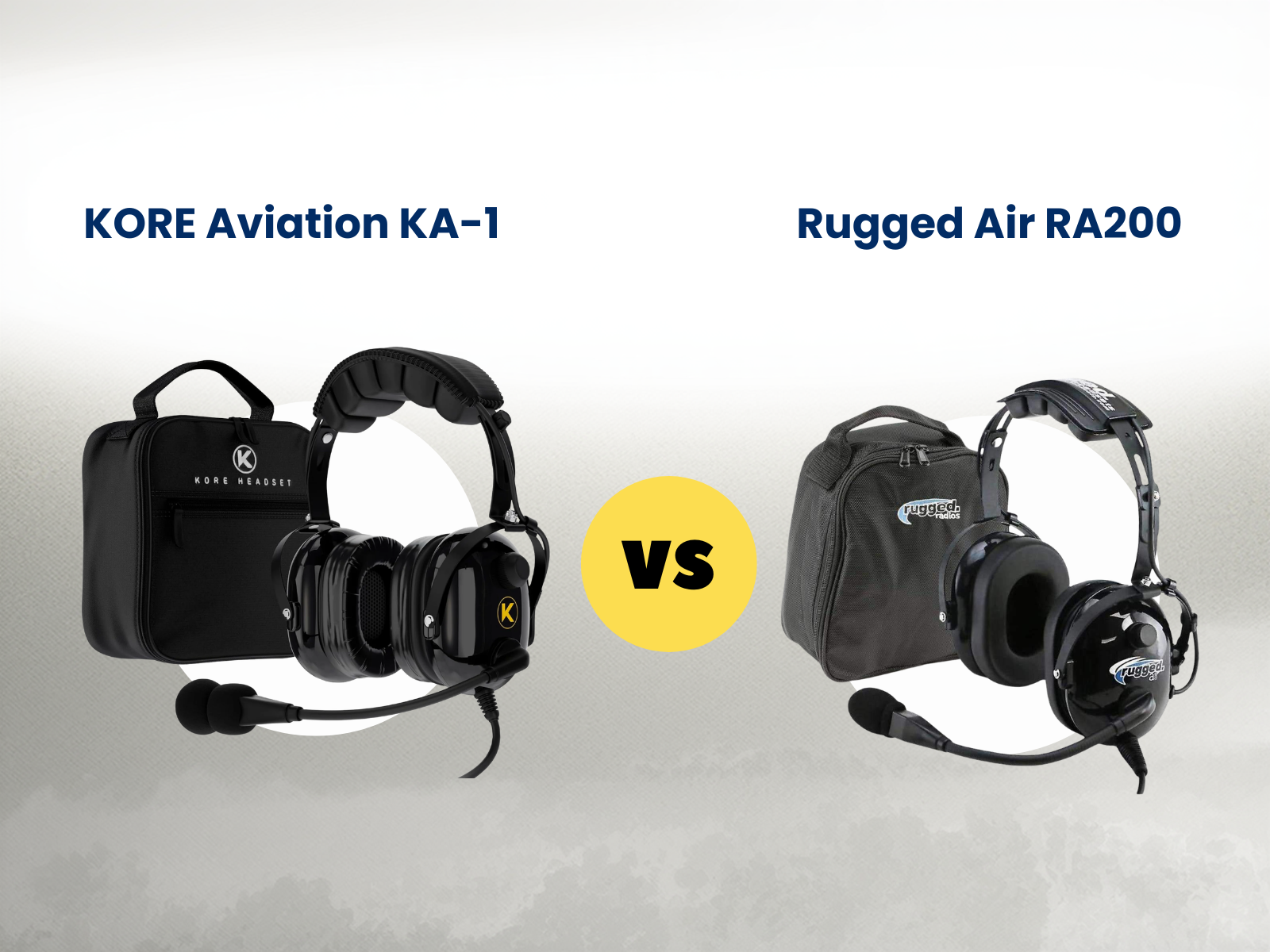
KORE Aviation - The KORE Aviation KA-1 and the Rugged Air RA200 both come up a lot when student pilots start shopping for a headset. At first glance, they can look pretty similar. Both are passive headsets, both are built for training aircraft, and both list 24 dB noise reduction. That is usually enough to make people wonder whether the cheaper one is basically the same thing.
That is where actual use starts to matter more than the spec sheet. After a few lessons, small differences stop feeling small. Comfort changes, the way the ear seals hold up starts to matter, and you get a better sense of whether the headset feels like something you can stick with or something you will want to replace later.
The Specs, Side by Side
To see where the differences really start to show, this table comparison helps to put the two side by side, makes it easier to see where they differentiate.
| Attribute | ||
|---|---|---|
| Ear Seals | Silicone gel ear seals | Foam |
| Comfort | Thick head pad, gel distributes pressure evenly | Lighter padding, foam may create pressure points over time |
| Audio quality | 50 mm speakers, clearer audio focus | Decent but more basic |
| Microphone | Noise-canceling electret mic with flexible boom | Noise-canceling mic, simpler build |
| Features | AUX input, mono/stereo switch, dual volume | Basic controls, fewer extras |
| Durability | Reinforced build, gold-plated plugs | Lighter, more budget-oriented |
| Typical use | Flight training, frequent flying | Occasional flying, backup headset |
| Headband | Steel-reinforced | Plastic |
Same noise reduction on paper. The difference is in what surrounds it, the materials, the build, and how long it all holds up.
Where Most Pilots Notice the Difference First
For most student pilots, the first real difference shows up in comfort. Foam ear seals feel fine at the beginning. After a few weeks of flying, they start to compress. The seal around your ear loosens, and you begin to notice more cockpit noise getting through. That usually leads to turning the volume up more than you used to.
Gel ear seals behave differently. They shape around your head and keep that seal consistent over time. Pressure spreads out more evenly, which makes longer flights easier to get through. It sounds like a small detail, but after a couple of two hour lessons, it stops feeling small.
Same Noise Reduction on Paper, Not Always in Practice
Both headsets are rated at 24 dB. What that number does not show is how well the headset maintains that performance over time. Noise reduction depends heavily on the seal. When foam starts to flatten, the seal changes. When the seal changes, the noise reduction drops.
Gel ear seals tend to hold their shape much longer. That makes the experience more consistent from one flight to the next. For student pilots, consistency matters more than peak numbers.
Build Quality and What It Means Over Time
Headsets go through a lot during training. They get tossed into flight bags, used several times a week, and exposed to heat and wear.
The KA-1 uses a steel reinforced headband and comes with a five year warranty. The RA200 uses a plastic build with a one year warranty. That difference usually shows up later, not on day one. If you are flying regularly, durability starts to matter more than you expect.
Price vs Value: Where the Decision Really Happens
The RA200 is one of the most affordable aviation headsets available. That is the main reason people choose it. If you are trying to spend as little as possible, it does exactly what it needs to do.
The KA-1 costs more upfront, but it is built to last longer and stay comfortable over time. For many student pilots, the real question is not just price. It is how long the headset will hold up without needing to be replaced.
Also read: Is a Bose Aviation Headset Worth It, Or Is There a Smarter Buy?
When the KA-1 Makes More Sense
If you are planning to train consistently, the KA-1 tends to make more sense. It is built for:
- student pilots flying multiple times per week
- longer training sessions
- pilots who want to buy once and keep using the same headset
It is the kind of headset that does not need to be replaced halfway through training.

What Student Pilots Usually Realize Too Late
A lot of student pilots start with the cheapest headset they can find, thinking they can always upgrade later. That sounds reasonable at first, especially when flight training is already expensive. The problem is that the headset usually starts to wear on you before it actually wears out.
It often shows up in small ways. A lesson feels longer than it should, the ear seals start to feel uncomfortable, the fit gets less consistent, and little distractions begin to pile up. None of that seems dramatic on its own, but after a few months, it becomes clear that comfort and build quality matter a lot more than they did on day one.
That is usually when pilots realize the real cost was not just the cheaper price upfront. It was buying something they outgrew too quickly. For a lot of students, the better move is not chasing the most expensive headset. It is choosing one that feels dependable enough to stay with them through training.
Frequently Asked Question
1. Why do student pilots choose the KORE Aviation KA-1 over basic starter headsets?
Most student pilots want something they can keep using throughout training, not something they outgrow after a few months. The KORE Aviation KA-1 gives them better comfort, stronger materials, and a more dependable fit for regular flying, which is why it often makes more sense than a very basic entry-level headset.
2. What's the biggest difference between the KA-1 and RA200?
Materials and longevity. The KA-1 uses gel ear seals, a steel-reinforced headband, and comes with a carrying case and 5-year warranty. The RA200 uses foam seals and plastic construction. Both have 24 dB noise reduction, the difference is in how that experience holds up over time.
3. Do they really have the same noise reduction?
Both spec at 24 dB NRR. In practice, noise reduction depends heavily on the ear seal maintaining a good fit. Gel seals hold their shape longer than foam, which can compress and lose its seal over months of use.
4. Is the KA-1 as good as a David Clark?
The KA-1 matches the David Clark H10-13.4 spec-for-spec. Same NRR, noise-canceling mic, 5-year warranty. The KA-1 includes gel ear seals standard (David Clark charges extra). It costs about half the price. David Clark set the standard. KORE Aviation made it accessible.
5. How long will a KA-1 last?
Thousands of flight hours. The 5-year warranty covers manufacturing defects, and replacement ear seals and parts are available direct from KORE Aviations's U.S.-based support team. Buy it for your private, keep it through your commercial.
6. Can I use the KA-1 in a helicopter?
The KA-1 uses dual GA plugs. It's built for fixed-wing. For rotorcraft, check out the KORE Aviation H1 with a U-174 plug.
The Bottom Line
Both headsets have a place. The RA200 is a practical choice when budget is the main concern. It gets you in the air and does the job.
For student pilots who want something more comfortable and better equipped than a very basic starter headset, the KORE Aviation KA-1 is an easy one to consider. It covers the features many students care about most without pushing into premium pricing.
Check out here:


