

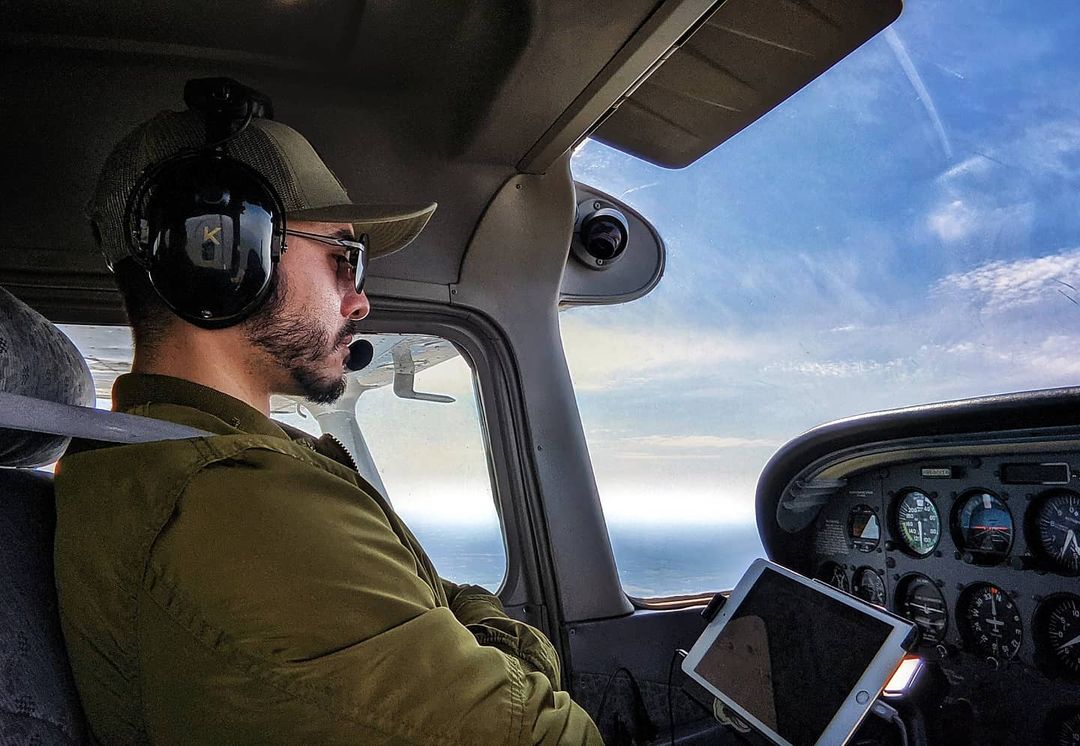
KORE Aviation - If you have recently begun your pilot training or are planning to soon, you’ve probably wondered: What headset should I get? The answer is relatively simple; the right headset in flight must help you stay focused, keep communication clear, and shield you from the overwhelming sounds in a loud cockpit.
Picking headsets is not just about the brand or fashion, but their safety, comfort, and clarity. Your headset enables you to hear, respond to instructions, and remain attentive throughout the flight. This post discusses the features of headsets that pilots use, their functionalities, and what’s important in the cockpit.
Why Do Pilots Need Headsets?
Piloting requires full attention and solid communication. Engine noise alone are loud, which can exceed 100 decibels, interfering with communication and leading to hearing damage without a quality headset. A good headset solves this by providing clear communication and noise protection, essential for safe flying.
Besides offering protection, headsets enable interaction with air traffic control, fellow crew members, and other planes. Most aviation headsets are equipped with sidetone feedback, allowing pilots to hear their voice while transmitting, which is essential for mic positioning and multitasking in the cockpit.
Types of Headsets Pilots Use
There is no definitive answer to the type of headset pilots use, as every pilot is different. Ultimately, your choice of headset depends on how experienced you are, the type of aircraft you will be flying, and your preferences. As a general rule, headsets used in aviation can be classified into two types:
- Passive Noise Reduction (PNR) headsets: the traditional, battery-free type that block sound through physical insulation and tight ear seals. Due to their affordability and simplicity, these are commonly used by student pilots and flight schools.
- Active Noise Reduction (ANR) headsets: use internal microphones and electronics to cancel out low-frequency noise but are more expensive.
What Do Pilots Look for in a Headset?
Whether they are just starting in their flying career or have been doing it for years, each had some non-negotiable requirements for headsets. These include:
- Clear audio transmission for easy communication with ATC
- Effective noise reduction, whether passive or active
- Comfortable ear seals and adjustable headbands to reduce fatigue
- Durability for long-term use in changing environments
- Aircraft compatibility, including the correct plug type (PJ plugs for GA, U-174 for helicopters, or LEMO for powered ANR systems)
What Do Airline and Commercial Pilots Use?
In airline cockpits, pilots wear specialized headsets that are easily connected to the airline’s communication system. These headsets are usually light and worn on the ears. The aeroplane's cockpit is already insulated, making it quieter. Therefore, the focus of these headsets is more on sound clarity and comfort.
In general aviation, though, over-ear headsets remain the industry standard. These headsets are especially beneficial for hearing protection in engine aircraft, which are frequently used for training and personal flying.
What Headsets Do Student Pilots Prefer?
Most student pilots start with passive noise reduction headsets. They’re budget-friendly and durable, and don’t require batteries. Due to their comparatively higher noise levels, they are well suited to the Cessna 152 or 172, which many flight schools use as training aircraft.
Additionally, PNR’s affordability ensures it effectively protects against noise. Also, because it does not use batteries, new flyers trying to understand cockpit procedures find it easier.
For student pilots, seeking comfort, clarity, and being comfortable with a headset that fits and offers reliability is crucial. During training, a headset that doesn't effectively block out noise or is too heavy can become a huge distraction.
Discover more: https://www.koreheadset.com/blogs/blog/best-aviation-headset-guide
Final Thoughts: What Headset Do Pilots Use?
So, what headset do pilots use? The answer varies depending on the user’s position, environment, and flying routines. Many students begin with basic PNR headsets. As their experience grows, private and commercial pilots tend to shift to ANR models.
Ultimately, the top aviation headset is comfortable, allows effortless communication, minimizes tiredness, and is tailored to your flying preferences. Equipment accompanies you throughout your flight, and when selected carefully, it can enhance the safety and enjoyment of your time aloft.
For those in the market for a real pilot-grade headset, KORE Aviation is the right choice. It offers incredible comfort, and flight schools trust their quality for private pilots. They offer clarity and comfort for staying focused in the cockpit, all at excellent prices.
Check out KORE Aviation KA-1, premium and affordable headsets if you want strong performance without spending more than you need.


