

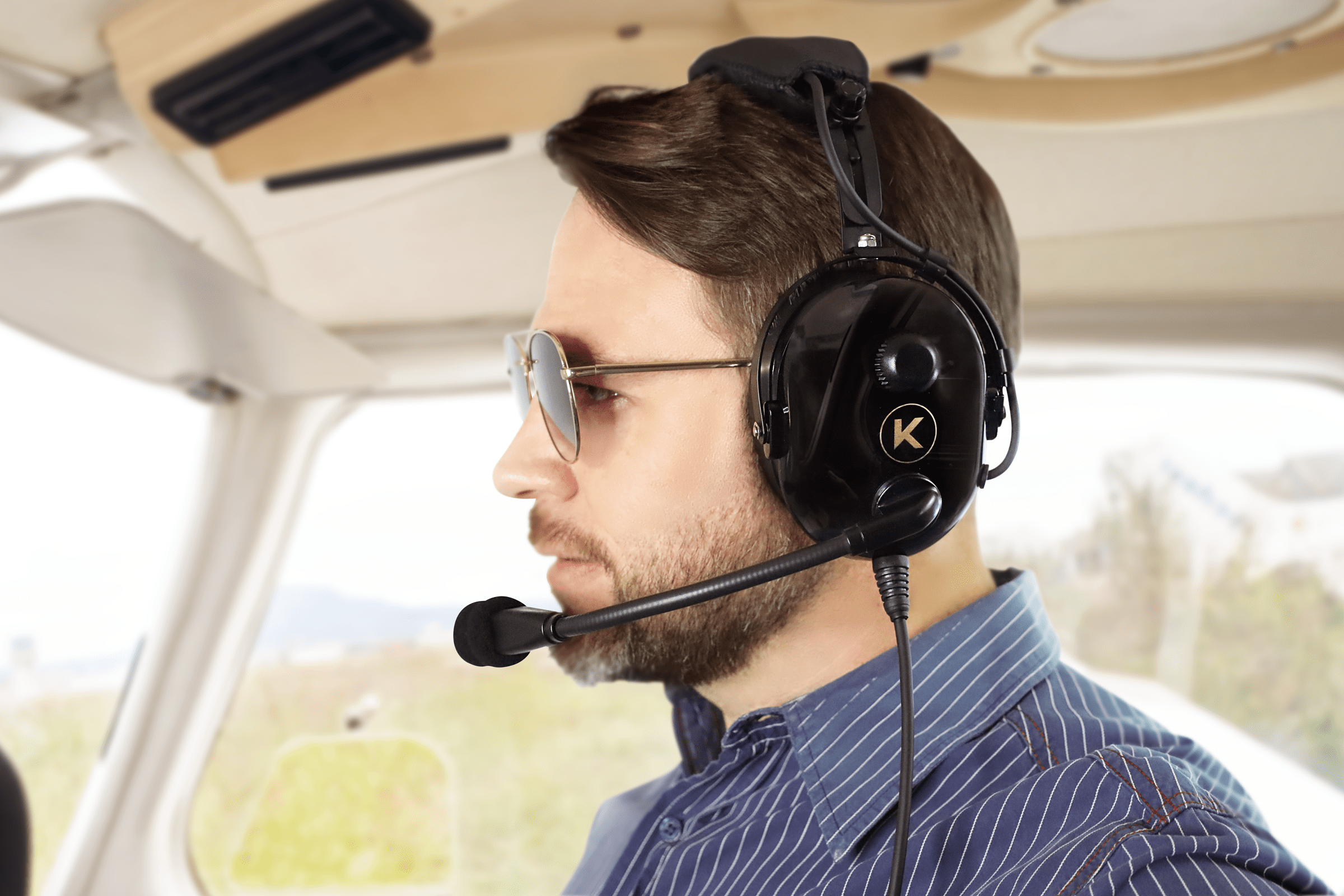
KORE Aviation - All communication in aviation is performed systematically and without loss of information.
Every pilot needs a dependable aviation headset so they can receive vital information, reduce the engine noise, and help protect their hearing. Whether you are a beginner or an experienced flier, choosing the right headset can greatly increase comfort and improve safety during the flight.
We seek to detail what a headset does for its user, what to look out for when purchasing a headset, and finally, which brand stands out the most.
Why Do Pilots Need Aviation Headset?
Pilots operate in active noise environments that include engine noises, wind, and radio chatter. These sounds could potentially cover up vital messages from air traffic control and co-pilots. An effective aviation headset helps to lower the background noise so that every word is vital.
A headset that protects the users from overwhelming noise makes sure that only the most useful words come through. Some headsets use thick, padded ear cups that passively block noise. Others use active technology which cancels unwanted background sound using electronics. Both methods create a safer flying environment.
Aviation headset aids clear and effective communication in the cockpit which is essential for the comfort and safety of everyone flying. Hearing instructions without strain enables pilots to react appropriately to avoid mistakes, reducing time wasted. Reducing fatigue is an important goal to achieve during long flights. Minimal headsets boost alertness which in turn assists to restore safety while flying on autopilot.
Tips for Choosing the Right Aviation Headset
With so many aviation headsets on the market, finding the right one comes down to understanding what suits your specific needs. Whether you're a student pilot, a frequent flyer, or someone who values comfort over advanced features, narrowing down your options requires careful consideration. Here are some key tips to help you make the best choice.
1. Think About the Features That Matter Most to You
Look for headsets that enable crystal clear audio, comfortable ear cushions, and an adjustable headband. Ear cups with both active and passive noise canceling ensure clear sound without unnecessary distractions. Make a list of essential features that you cannot do without and use that to compare different headsets.
Reviews and pilot discussions can prove very helpful as well. Experiences from the field help you determine which headsets are best suited for various conditions. One pilot's perfect headset may vary completely from another's, therefore it's important to consider personal flight routines and tailor them to your needs.
2. Matching Your Budget to Your Needs
Headsets are quite interesting for the aviation industry, and their prices tend to differ as a result. The most affordable headsets will meet basic requirements, while the expensive ones will tend to have a multitude of features, such as Integrated Bluetooth, Noise Canceling, and even Stereo Sound. Regardless of which headset you choose, make sure it fits within your budget and offers the basic required quality.
Not every aviation headset will match your requirements, thus making it important to conduct extensive research. Most of these headsets tend to come with warranty clauses, thus helping you save on future replacements. Long-standing headsets with protective covers are a great example.
A one-stop shop comparison will guarantee identification of a headset across multiple brands and models without missing out on any features. For starters, it is important to seek headsets that offer superior durability, clear communication, and ideal comfort—while maintaining a balance between affordability and quality.
3. Comfort and Durability: The Ultimate Checklist for Aviation Headsets
When wearing an aviation headset for hours at a time, comfort is fundamental. Look for soft, padded ear cups, and an adjustable headband. These features help mitigate pressure and minimize ear fatigue. A snug yet light fit ensures that the headset is not heavy on the head.
Another consideration is durability. An aviation headset is used frequently in tough conditions, which can affect its durability and performance. Models made of strong materials such as stainless steel and high-impact plastic should be sought after, as these ensure the headset will outlive consumer headphones.
For every pilot, a checklist needs to be created concerning comfort, durability and audio clarity. Make sure the headset provides passive and active noise cancellation. Also check if the microphone is of high quality so the user’s voice can be transmitted clearly, even during noisy conditions. Emphasizing these aspects will enable robust headset selection for countless flights.
Discover More: Why are aviation headsets more expensive
What Makes a Good Aviation Headset? A Look at Kore Aviation
If you're a student pilot, just starting out, or flying in smaller planes, a headset with thicker ear padding can offer better comfort and help you get used to long flight hours.
Since passive noise reduction (PNR) models don’t rely on electronics like active noise reduction (ANR) headsets, they come at a much more budget-friendly price, making them a solid choice for beginners. Later on, if you decide to upgrade to ANR, you'll already be comfortable with wearing a headset for extended periods.
With these factors in mind, choosing a trusted brand is just as important as selecting the right type of headset. One brand that consistently meets these essential criteria is KORE Aviation, known for its balance of quality, comfort, and affordability, as over 50,000 pilots currently use their products.

Their headsets are made from high comfort materials that guarantee clear communication and good durability. For example, the KORE Aviation KA-1 model has ultra-plush silicone gel ear seals, head pads that are extra thick and a 24dB noise reduction feature. These features block out engine noise and help clear comms.
The KORE Aviation P1 is among the lowest priced, offering students pilots and general aviation fans with reliable performance without spending too much. It offers unparalleled clarity and comfort.
The strong points of Kore Aviation headset are not just in their noise reduction capabilities but also in their ease of use and durability. Many flight schools and certified instructors recommend these headsets for their value and performance.
Conclusion
All flights need a good aviation headset in order for everything to go smoothly. Losing communication or not being able to hear clearly because of background noise can become problematic. We focused on the reasons why pilots need headsets, the selection procedure, the budget, comfort, personal preferences, and the reasons why reliability matters so much to a device.
These decisions can be smart after considering every point. Ensuring precise communication further enhances grace in aviating from any undesired incident. KORE Aviation headset provides powerful noise cancellation along with exceptional comfort and durability, making them a trusted name for many.
Over 45,000 pilots believing in their products gives the tag of #PilotApproved which further speaks for their reliability. With everything said, ensure you make the right decisions while trusting your headset to accompany you on flights.


