
KORE Aviation
Hi There 👋
We are KORE Aviation, feel free to ask us any questions.

Your Recent Orders

GOT A QUESTION

Visit our FAQs for the fastest way to get information.

VIEW FAQs

Product Support

Quick links to help you with your product:

Headset Guide

Your headset may come with either a single or dual volume control located on one or both ear domes. Rotate the knob to adjust the volume to a comfortable level.
If your headset includes a mono/stereo switch located in the Y-block on the main headset cable, select the setting that matches your equipment. Use the stereo position for stereo audio sources. For all other applications, use the mono position. Refer to your aircraft radio or general aviation intercom manual for guidance on the correct setting.
Your headset is equipped with either a full-flex or wire boom that can be bent and positioned for accurate microphone placement. Adjust the boom so the microphone sits at the corner of your mouth, about ⅛ inch from your lips. Do not force the boom past its natural stopping point.
Loosen the oversized thumb nut on the side of the headset by hand. Adjust the headband up or down until the ear domes fit comfortably over your ears. Tighten the thumb nut to lock the position.
Replace the ear seals if they become worn, torn, or hardened over time. To install a new ear seal, insert the lip of the seal into the groove of the ear dome. Hold the dome firmly and keep the top of the ear seal in place while working the lip into the groove around the dome. You may need to pull slightly to ensure the seal fits tightly.
Replace the headband if it becomes worn, torn, or hardened. To replace it, grasp the top liner and gently open the Velcro seam to separate it from the inner strip. Remove the old headband and insert the new one.

General Maintenance

Regular maintenance will help keep your headset performing properly and looking like new.

Do not use harsh chemicals or abrasive cleaners, and do not submerge any part of the headset in water.

Use a clean, damp cloth to gently wipe the ear cups and head pad. For heavily soiled areas, use a mild solution of water and household liquid detergent.

To clean the microphone and plugs, wipe them with a clean cloth lightly dampened with alcohol.

Ear seals and microphone muffs are replaceable and should be changed as needed when they become worn.

Returns & Warranty

Our return policy is 30 days. If 30 days have passed since your purchase, unfortunately we can’t offer a refund or an exchange. To be eligible for a return, the item must be unused and in the same condition that it was received in. It must also be in the original packaging. To complete your return, we require a receipt or proof of purchase from original store.
Once your return is received and inspected, we will send an email to notify that we have received the returned item. If it meets the requirements above, then the refund will be processed, and a credit will automatically be applied to your credit card or original method of payment, within 15 business days.
Please note that banks have different processing time periods. If you haven’t received a refund in 15 business days, please check with the bank as it may still be processing. If you still have not received your refund, please contact us at help@koreheadset.com.
We only replace items if they are defective or damaged. If you need to exchange it for the same item, send us an email at help@koreheadset.com.
Warranty is limited to original purchaser and covers defects in material and workmanship for a period of five (5) years from date of original purchase. Warranty is not valid if our inspection shows that the equipment has been subjected to negligence, misuse or accident, or if it has been tampered with, installed, or altered in any way. All products must be shipped to our address, freight prepaid. Email help@koreheadset.com with a copy of your dated sales receipt and a detailed description of the problem to initiate a claim.
To return your product, please contact us at help@koreheadset.com. You will be responsible for paying for your own shipping costs for returning your item. Shipping costs are non-refundable. If you receive a refund, the cost of return shipping will be deducted from your refund.

UNBOXING VIDEOS

Add an H1 unboxing video in the theme settings.

Send Us a Message

Skip to content

FREE SHIPPING FOR PURCHASES ABOVE $50

How to Avoid Ear Pain During Flight? Relief and Prevention Tips - KORE HEADSET LLC

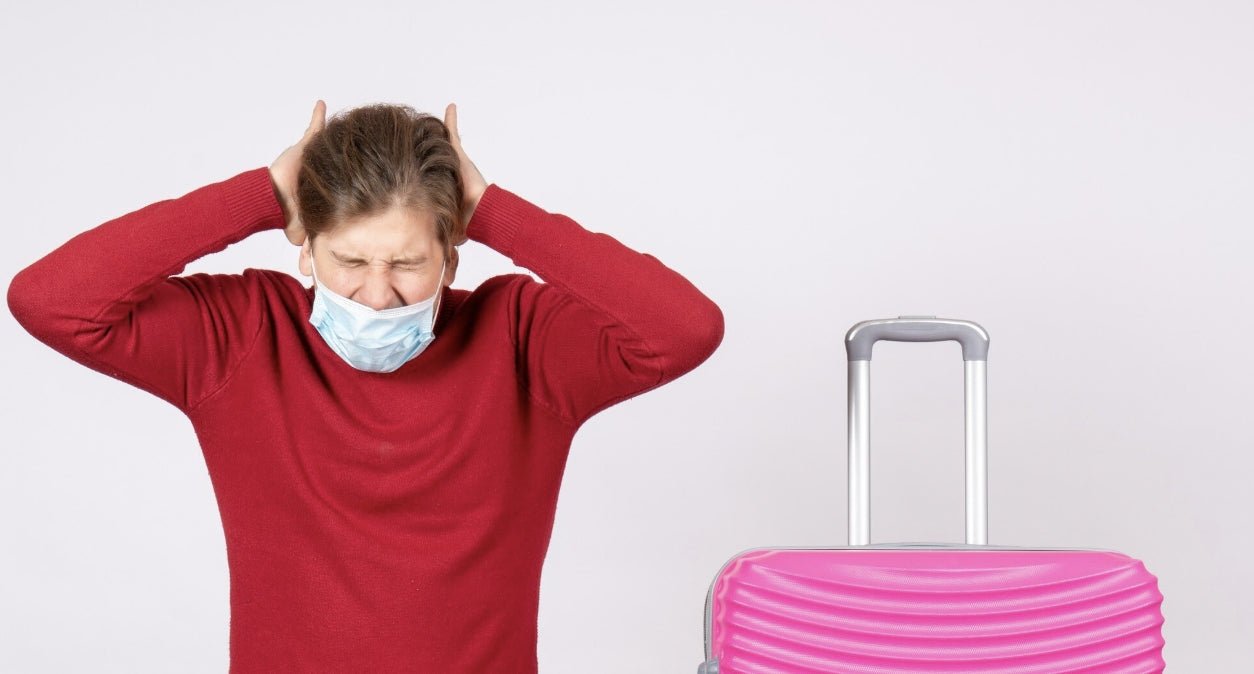
Kore Aviation - Experiencing ear pain on flights is a common discomfort that can flip the excitement of travel into anxiety, especially during takeoff or descent. The pain comes from pressure imbalances between your middle ear and cabin. But you can prevent it.

Below are expert tips on how to avoid ear pain during flight along with pilot-tested techniques using aviation headset technology.

Why Ear Pain Happens on Flights?

Ear pain during flight results because the air pressure in the cabin changes quickly while your middle ear needs time to adjust. The eustachian tube connects your middle ear to the back of your nose and throat and helps to balance pressure.

If that tube cannot open fast enough the pressure difference can stretch or hurt your eardrum. That discomfort is often called airplane ear or ear barotrauma. Sometimes the eardrum can even rupture in rare cases.

10 Ways to Avoid Ear Pain on Flights

Here are proven, easy-to-follow strategies to ease ear discomfort on a flight:

  1. Chew Gum or Suck Candy
    Chewing encourages swallowing which opens your Eustachian tubes. This helps pressure equalize naturally.
  2. Yawning or Swallowing Often
    Yawning or swallowing frequently works like chewing gum to open those tubes and balance ear pressure.
  3. Use the Valsalva Maneuver Gently
    Close your mouth, pinch your nose, and blow gently. This forces air into the middle ear. Use only if needed and gently.
  4. Use Decongestants or Nasal Sprays If Congested
    If allergies or cold are a concern, take an over the counter decongestant about an hour before takeoff and again before landing.
  5. Stay Hydrated
    Drinking plenty of water helps thin mucus and keeps your nasal passages clearer.
  6. Avoid Sleeping Through Descent or Ascent
    If you are asleep, the natural swallowing that keeps ears open stops. Stay awake through descent to catch changes in time.
  7. Use Regulating Earplugs
    Specialized earplugs (often called “airplane ear” plugs) equalize pressure gradually and reduce discomfort.
  8. Try Steam Relief
    A flight attendant once offered a hot cup with a damp towel near a passenger’s ear. The steam helped open the Eustachian tube. It’s a simple trick worth sharing.
  9. Delay Flying If Sick
    Flying while congested increases ear pain risk. Delay travel if possible or take extra precautions if you must fly.
  10. Consult a Doctor for Persistent Pain
    If pain continues after your flight get checked by an ENT specialist. Persistent issues may require medical intervention. 

Also read: What Happens If You Open an Emergency Exit on Plane?

Who’s Most at Risk?

  • Children have narrower Eustachian tubes making them prone to ear pain. A bottle or pacifier helps.
  • Adults with sinus congestion, allergies, or cold symptoms also struggle more. Equalizing pressure becomes harder.

When to Avoid Flying or Seek Doctor’s Help

  • If you are sick or congested with a cold, sinus infection or allergy symptoms, ear tubes are at higher risk of blockage. Delay your flight if possible. 
  • If pain persists for days after flying or worsens significantly consult a healthcare provider. Persistent issues may need evaluation for Eustachian tube dysfunction or even surgical options like myringotomy.

How Pilots Avoid Ear Pain on Flights with Headsets

Pilots are exposed to these pressure changes regularly, especially during helicopter training or frequent climbs and descents. Here is how they manage ear comfort:

  • Stay hydrated and practice swallowing or gentle equalization during descent.
  • Avoid flying when sick or congested to minimize pressure related ear pain.
  • Use aviation headsets designed for comfort and noise isolation. They help reduce fatigue and improve awareness of subtle pressure cues and communication clarity during altitude changes.

At Kore Aviation , we offer the flying headset that is high quality yet affordable. It helps pilots and passengers manage pressure changes by combining soft ear seals with comfort and clear audio.

Learn more about Why Do Pilots Wear Headphones? Aviation Essentials Explained

FAQs About Ear Pain on Flights

  1. Can pressure cause lasting damage?
    Usually no Most ear barotrauma resolves in time But severe cases may result in eardrum damage if not treated.
  2. Are children more at risk?
    Yes. Their Eustachian tubes are smaller making they more prone to airplane ear. Sugars or pacifiers help.
  3. Should I avoid flights with a cold?
    If possible, Yes. But if not consider a non stop flight and preventative measures like decongestants and earplugs.
  4. Can headphones cause ear pain?
    They don’t prevent pressure pain but noise cancelling models help you detect pressure and communicate better during descent.
  5. What if pain persists after landing?
    See a medical professional You may need treatment if pain lingers beyond the flight.
  6. What if pain persists after landing?
    See a medical professional You may need treatment if pain lingers beyond the flight.
  7. Is there a device to bypass pain entirely?
    Some frequent flyers get pressure equalization tubes inserted but this is a medical procedure and should be considered last.

Final Thoughts
Ear pain on flights can be prevented with simple methods like yawning, decongestants, earplugs and awareness. For pilots and serious travelers too the right headset matters for comfort and hearing protection.

Need a reliable headset that helps reduce ear discomfort and enhances your flying experience? Browse Kore Aviation headset for supreme comfort, clarity, and pressure awareness.

Pilot gear trusted by 50,000+ pilots

Ready to upgrade your aviation headset?

The KORE Aviation KA-1 is our best-selling aviation headset, trusted by student pilots, instructors, passengers, and flight schools for its comfort, clear communication, and dependable everyday performance.

GET 15% OFF + FREE SHIPPING
KORE Aviation KA-1 pilot headset
KORE Aviation
Hi There 👋
We are KORE Aviation, feel free to ask us any questions.

Your Recent Orders

GOT A QUESTION

Visit our FAQs for the fastest way to get information.

VIEW FAQs

Product Support

Quick links to help you with your product:

Headset Guide

Your headset may come with either a single or dual volume control located on one or both ear domes. Rotate the knob to adjust the volume to a comfortable level.
If your headset includes a mono/stereo switch located in the Y-block on the main headset cable, select the setting that matches your equipment. Use the stereo position for stereo audio sources. For all other applications, use the mono position. Refer to your aircraft radio or general aviation intercom manual for guidance on the correct setting.
Your headset is equipped with either a full-flex or wire boom that can be bent and positioned for accurate microphone placement. Adjust the boom so the microphone sits at the corner of your mouth, about ⅛ inch from your lips. Do not force the boom past its natural stopping point.
Loosen the oversized thumb nut on the side of the headset by hand. Adjust the headband up or down until the ear domes fit comfortably over your ears. Tighten the thumb nut to lock the position.
Replace the ear seals if they become worn, torn, or hardened over time. To install a new ear seal, insert the lip of the seal into the groove of the ear dome. Hold the dome firmly and keep the top of the ear seal in place while working the lip into the groove around the dome. You may need to pull slightly to ensure the seal fits tightly.
Replace the headband if it becomes worn, torn, or hardened. To replace it, grasp the top liner and gently open the Velcro seam to separate it from the inner strip. Remove the old headband and insert the new one.

General Maintenance

Regular maintenance will help keep your headset performing properly and looking like new.

Do not use harsh chemicals or abrasive cleaners, and do not submerge any part of the headset in water.

Use a clean, damp cloth to gently wipe the ear cups and head pad. For heavily soiled areas, use a mild solution of water and household liquid detergent.

To clean the microphone and plugs, wipe them with a clean cloth lightly dampened with alcohol.

Ear seals and microphone muffs are replaceable and should be changed as needed when they become worn.

Returns & Warranty

Our return policy is 30 days. If 30 days have passed since your purchase, unfortunately we can’t offer a refund or an exchange. To be eligible for a return, the item must be unused and in the same condition that it was received in. It must also be in the original packaging. To complete your return, we require a receipt or proof of purchase from original store.
Once your return is received and inspected, we will send an email to notify that we have received the returned item. If it meets the requirements above, then the refund will be processed, and a credit will automatically be applied to your credit card or original method of payment, within 15 business days.
Please note that banks have different processing time periods. If you haven’t received a refund in 15 business days, please check with the bank as it may still be processing. If you still have not received your refund, please contact us at help@koreheadset.com.
We only replace items if they are defective or damaged. If you need to exchange it for the same item, send us an email at help@koreheadset.com.
Warranty is limited to original purchaser and covers defects in material and workmanship for a period of five (5) years from date of original purchase. Warranty is not valid if our inspection shows that the equipment has been subjected to negligence, misuse or accident, or if it has been tampered with, installed, or altered in any way. All products must be shipped to our address, freight prepaid. Email help@koreheadset.com with a copy of your dated sales receipt and a detailed description of the problem to initiate a claim.
To return your product, please contact us at help@koreheadset.com. You will be responsible for paying for your own shipping costs for returning your item. Shipping costs are non-refundable. If you receive a refund, the cost of return shipping will be deducted from your refund.

UNBOXING VIDEOS

Add an H1 unboxing video in the theme settings.

Send Us a Message