

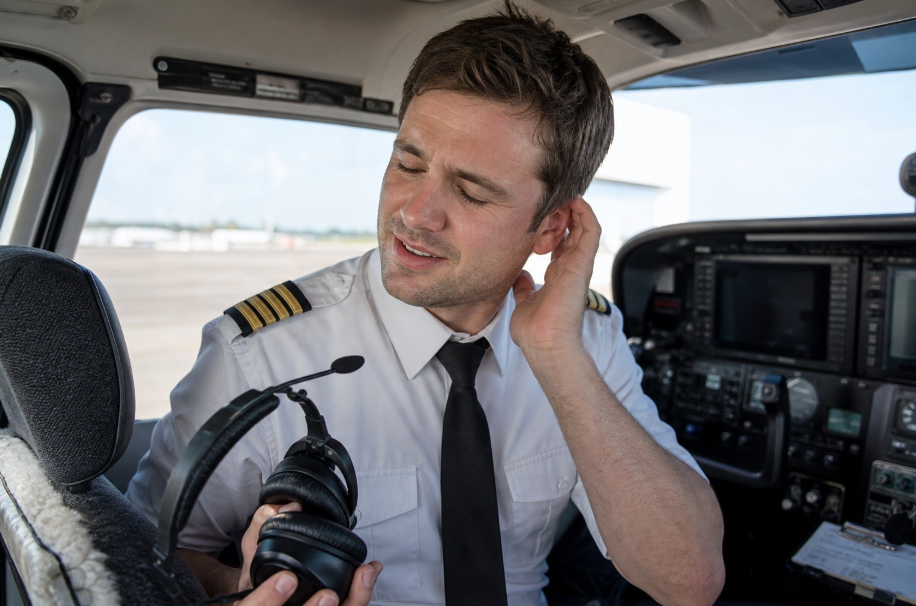
KORE Aviation - Every pilot remembers their first long cross-country flight. You have your nav log ready, the weather is perfect, and you are settling into a nice cruise at 4,500 feet. About two hours into the flight, you start to feel it. A dull throb begins at your temples. Your ears feel hot and pinched. By hour four, you are no longer focused on your heading or altitude. You are focused on the agonizing pressure against your skull. Finding a comfortable aviation headset is not just about luxury. It is a safety requirement. When physical pain distracts you from flying the airplane, your situational awareness drops.
Aviation headsets are designed to stay on your head during turbulence and provide a tight seal against engine noise. However, that same design can lead to significant discomfort if the ergonomics are wrong. If you plan on flying for more than an hour at a time, you need to understand the mechanics of headset fit. From clamping force to ear seal materials, every gram of weight and every millimeter of padding matters when you are in the cockpit for half a day.
Understanding Clamping Force and Headset Ear Pain
The primary cause of headset discomfort is clamping force. This is the amount of pressure the ear cups exert against the sides of your head to create a noise seal. Most traditional aviation headsets exert between 6 and 7 Newtons of force. To put that in perspective, the high-end consumer headphones you use for music usually only exert about 3.5 to 4 Newtons. Aviation headsets need that extra squeeze to block out the 90 decibels of noise generated by a Lycoming or Continental engine, but too much squeeze leads to headaches.
A comfortable aviation headset must balance this pressure. If the force is too low, the seal breaks and noise leaks in. If it is too high, it restricts blood flow around your ears. This is why many pilots feel a sense of "relief" the moment they pull their headset off after landing. The goal is to find a headset that uses high-quality materials to create a seal without needing to crush your skull to do it.
Why Weight Distribution Matters for Neck Fatigue
Weight is the second major factor in aviation headset comfort. Many budget headsets weigh between 14 and 18 ounces. While 18 ounces does not sound like much, it feels significantly heavier after four hours of constant head movement. Every time you look left and right for traffic, your neck muscles have to stabilize that extra weight. Over a long flight, this leads to neck strain and shoulder tension.
The KORE Aviation KA-1 is designed to distribute its weight effectively across the headband rather than letting it all hang on the ear cups. By using a thick, padded headband, the vertical pressure is spread across the top of your head. This prevents "hot spots," which are those specific points of pain that feel like a needle pressing into your scalp. When the weight is distributed properly, even a sturdy PNR headset can feel light throughout a long cross-country leg.
| Feature | Standard Budget Headset | KORE Aviation KA-1 |
|---|---|---|
| Ear Seal Material | Standard Foam | High-Density Silicone Gel |
| Clamping Force | High (6.5N+) | Optimized for Seal & Comfort |
| Headband Padding | Thin Foam or Plastic | Extra Thick Deep-Pile Padding |
| Noise Reduction | 20-22 dB | 24 dB PNR |
| Price | $150 - $200 | $224.95 |
Gel vs Foam Ear Seals: The Comfort Champion
If you want a comfortable aviation headset, the ear seal material is the most important upgrade you can make. Most entry-level headsets come with foam ear seals. Foam is cheap and lightweight, but it has major drawbacks for long flights. Foam compresses flat over time and loses its ability to spring back. It also acts like a sponge, absorbing sweat and oils, which makes it feel "mushy" and hot in the summer.
Silicone gel ear seals are the gold standard for a reason. Gel conforms to the unique shape of your face and jawline. It distributes the clamping force evenly across a larger surface area, which eliminates pressure points. Gel also stays significantly cooler than foam because it dissipates heat better. While many premium brands charge an extra $35 to $50 just for a gel seal upgrade, the KORE Aviation KA-1 includes these gel seals as a standard feature for $224.95. This ensures you have the best possible seal and comfort right out of the box.
The Glasses Problem: Solving Pressure Points
Most pilots wear sunglasses to handle the glare at altitude, and many wear prescription lenses. This creates a major comfort issue. The temples of your glasses sit between your head and the headset ear seal. With foam seals, the frames are pressed hard against your skull, causing a sharp pain behind the ears within thirty minutes. Furthermore, the glasses create a gap in the foam, allowing engine noise to leak directly into your ears.
Gel seals solve this problem naturally. Because the gel is fluid like, it forms a pocket around the glasses frames. This maintains the acoustic seal for maximum noise reduction while removing the pressure from the frames. If you wear glasses, switching to a headset with gel seals is the single best thing you can do for your flying comfort.

Noise Exposure and the Importance of a Proper Seal
Comfort and hearing protection are closely linked. OSHA standards state that 85 decibels is the maximum safe exposure for an 8-hour period. In a typical general aviation cockpit, noise levels during cruise range from 85 to 95 decibels. During the engine run-up or takeoff roll, those levels can spike above 100 decibels. If your headset is uncomfortable and you keep adjusting it, you are likely breaking the seal and exposing your ears to damaging noise levels.
A comfortable aviation headset like the KA-1 provides 24 dB of passive noise reduction. This brings the ambient cockpit noise down to a safe level of approximately 61 to 71 decibels. Because the gel seals maintain their integrity even when you move your head, you get consistent protection. A poor-fitting headset that leaks noise forces your brain to work harder to process radio communications, leading to "listener fatigue" by the end of your trip.
Tips for Maintaining Comfort on 4+ Hour Flights
Even with the best equipment, sitting in a cramped cockpit for four hours is a challenge. Here are a few pro tips to keep the fatigue at bay:
- The Break-In Period: New headsets often have a very stiff headband spring. Give your headset 5 to 10 flights to "break in" and loosen up to your head shape.
- Micro-Adjustments: Every hour, slightly shift the position of the headband on your scalp. Moving it just half an inch forward or backward can prevent a hot spot from forming.
- Clean Your Seals: Sweat and salt buildup can make ear seals feel abrasive. Wipe your gel seals down with a damp cloth after every flight to keep the material soft and supple.
- Check the Tilt: Most ear cups have a pivot point. Ensure the cups are tilted to match the angle of your jawline for an even distribution of pressure.
Why the KORE Aviation KA-1 is the Value Leader
When looking for a comfortable aviation headset, you often have to choose between a $150 "clamp" and a $1,100 premium ANR model. KORE Aviation fills that gap by offering premium comfort features at a pilot-friendly price. The KA-1 features dual GA plugs, a 5-year warranty, and a high-performance electret microphone with a wind-blocking muff. More importantly, it includes the luxury gel seals and the ultra-thick headband padding that you usually only find on much more expensive units.
With over 30,000 pilots and 50+ flight schools trusting KORE Aviation, the KA-1 has been flight-tested in the most demanding environments. Whether you are a student pilot working on your private certificate or a seasoned flyer taking a cross-country trip to a pancake breakfast, the KA-1 provides the durability and comfort you need without the thousand-dollar price tag.
Frequently Asked Questions
1. Why do my ears feel hot after flying for an hour?
This is usually caused by foam ear seals that trap heat and moisture against your skin. Gel ear seals are better at dissipating heat and provide a cooler experience during long summer flights.
2. Can I replace the foam seals on my current headset with gel seals?
Yes, many pilots buy aftermarket gel seals for $40 to $50. However, the KORE Aviation KA-1 includes these high-quality gel seals as a standard feature, saving you the extra expense.
3. How do I know if my headset clamping force is too high?
If you develop a headache at your temples or feel a "throbbing" sensation within 45 minutes of flying, the clamping force is likely too high or the ear seals are not distributing the pressure evenly.
Does a heavier headset always mean more discomfort?
4. Not necessarily. A slightly heavier headset with excellent headband padding and balanced ear cups can feel more comfortable than a lightweight headset with poor padding that creates sharp pressure points.
5. How long do gel ear seals last?
With proper care and occasional cleaning, gel seals can last for several years. You should replace them if you notice any leaks, punctures, or if the outer skin starts to feel brittle.
Bottom Line
A comfortable aviation headset is more than a convenience. It helps you stay focused, reduces fatigue, protects your hearing, and makes long flights more enjoyable. Features like balanced weight, the right amount of clamping force, quality headband padding, and gel ear seals all contribute to a headset you can wear for hours without constantly adjusting it or feeling distracted by pressure points. Whether you're flying your first cross-country or logging regular weekend trips, investing in comfort pays off every time you step into the cockpit. If you're looking for a headset that combines long-flight comfort, 24 dB of passive noise reduction, durable construction, and a 5-year warranty at a student-friendly price, the KORE Aviation KA-1 is built to keep you comfortable from takeoff to touchdown.


